If your business isn't showing up in the top three Google Maps results — the "local pack" — you're invisible to a massive portion of your potential customers. Most people never scroll past it.
The good news: your Google Business Profile (GBP) is completely free, and optimizing it is one of the highest-ROI things a small business owner can do. The bad news: most businesses set it up once and forget it. That's exactly why there's an opening for you.
This is the complete, no-fluff guide to optimizing your Google Business Profile in 2026.
What Is the Google Local Pack (and Why It Matters)
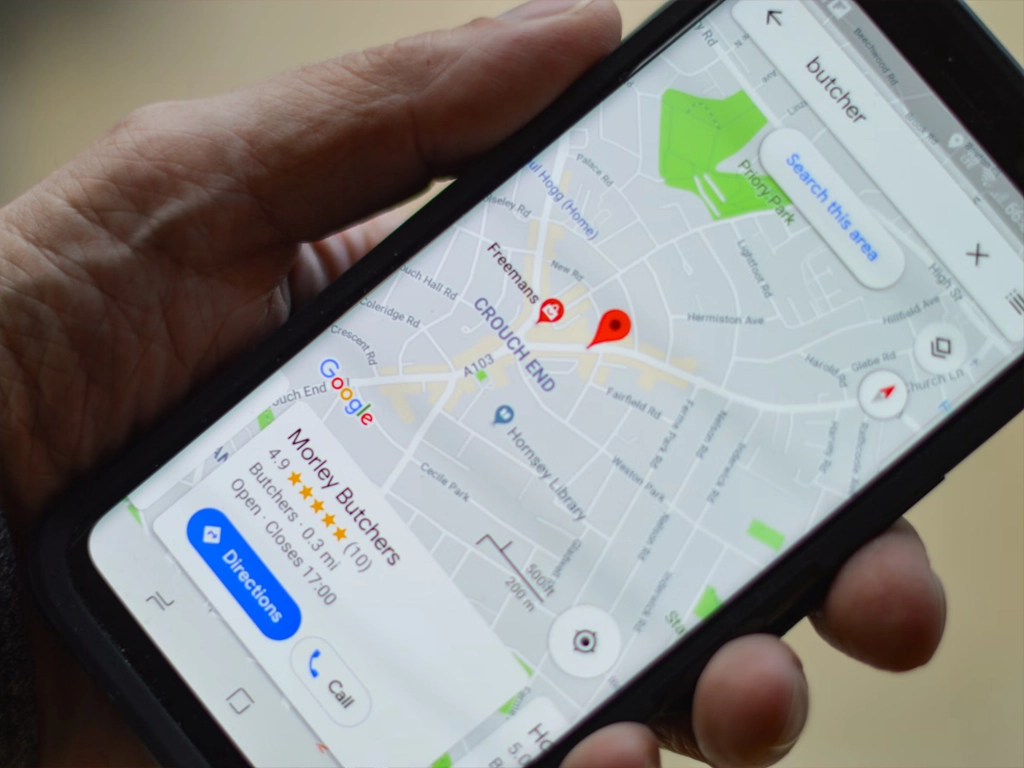
Before diving in, let's be clear about what we're targeting. When someone searches "web designer Birmingham" or "plumber near me," Google shows three business listings above the organic results — that's the local pack. It includes your business name, rating, hours, and a link to your website.
Studies consistently show the local pack captures 44% of all clicks on local search results pages. Position #1 in the local pack beats position #1 in the regular organic results for most local searches.
Ranking there depends on three things Google has publicly stated:
- Relevance — does your profile match what the person searched?
- Distance — how close is your business to the searcher?
- Prominence — how well-known and trusted is your business online?
Your GBP optimization directly controls relevance and prominence. Here's how.
Step 1: Complete Every Single Field
Google rewards complete profiles. This isn't optional — an incomplete profile is actively penalized in local rankings.
Go through your profile and fill in:
- Business name — use your real legal business name. No keyword stuffing ("Ridgeway Web | Best Birmingham Web Designer"). Google will suspend you for that.
- Primary category — this is the single most important field in your entire profile. Choose the most specific category that describes your core service.
- Secondary categories — add up to 9 additional categories that describe what else you offer.
- Business description — 750 characters max. Lead with what you do and where you do it. Include your top 2–3 keywords naturally. Write for the customer, not the algorithm.
- Phone number — must match your website exactly (same format).
- Website URL — link to your homepage or a specific landing page.
- Hours — keep these accurate. Set special hours for holidays. Closed hours mislead customers and hurt your credibility.
- Service area — if you go to the customer rather than them coming to you, set this. You can list up to 20 service areas.
- Services/Products — list each individual service with a name, description, and price (even a range). This is heavily underused and creates additional keyword surface area.
- Attributes — "women-led," "veteran-owned," "online appointments," etc. These show up on your profile and can influence searcher decisions.
Step 2: Nail Your Primary Category
Worth repeating: your primary category is the most impactful single field in your profile.
Google uses it to determine which searches you're eligible to rank for. If you're a general contractor but your primary category is "Home Improvement Store," you'll struggle to rank for "general contractor near me."
Search competitors who are ranking in your local pack. Open their profiles and look at their categories. That's a shortcut to knowing which categories Google associates with your niche.
Step 3: Photos — More Than You Think, Better Than You Have
Businesses with photos get 42% more requests for directions and 35% more website clicks than those without, according to Google's own data.
What to upload:
- Cover photo — this is the main image people see. Use a high-quality, professional shot of your work or your team.
- Logo — must be recognizable at small sizes.
- Interior/exterior shots — help customers recognize your location.
- Team photos — builds trust, especially for service businesses.
- Work samples / project photos — the more the better if you're in a visual trade (remodeling, landscaping, web design, etc.).
The key most businesses miss: upload new photos regularly. Google sees photo activity as a freshness signal. Aim for at least 2–4 new photos per month. They don't need to be professional — authentic job-site shots from your phone work fine.
Video is even more powerful. A 30-second walkthrough of a completed project or a quick intro to your team can dramatically improve engagement.
Step 4: Build a Review Strategy (Not a Review Begging System)
Reviews are one of the biggest ranking factors in local search. But it's not just about the number — recency matters enormously. A business with 80 reviews, the last one from 14 months ago, will often rank below one with 25 reviews posted steadily over the past year.
What actually works:
Ask at the moment of peak satisfaction
Don't wait a week. The best time to ask for a review is right when you finish a job and the customer says "this looks great." Hand them your phone with the review link open, or text it to them immediately.
Make it dead simple
Create a direct Google review link from your GBP dashboard and shorten it. Put it in your email signature, on your invoices, on a card you leave behind, and in your follow-up texts.
Respond to every review
Responding to reviews — positive and negative — signals to Google that you're an active, engaged business. For positive reviews, thank them and mention a keyword naturally ("Thanks for trusting us with your Birmingham home renovation!"). For negative reviews, stay professional, address the concern, and take it offline.
Never buy reviews or use review gating
Google's algorithm is very good at detecting inauthentic reviews. Getting caught means a penalty or suspension. Not worth it.
Step 5: Post to Your Profile Weekly
GBP Posts are essentially mini social media posts that appear directly on your Google listing. Most businesses never use them. That's your opportunity.
Post types:
- Updates — share news, completed projects, or anything relevant
- Offers — promotions or seasonal discounts
- Events — grand openings, community involvement
- Products/Services — highlight a specific service
Posts expire after 7 days (except Events), so weekly publishing keeps your profile looking active. Active profiles rank better. Each post is also another opportunity to include relevant keywords.
Keep them short: a compelling 2–3 sentence description and a clear call-to-action button ("Call now," "Learn more," "Get a quote").
Step 6: Use the Q&A Section Proactively
The Q&A section on your profile is publicly editable — anyone can ask AND answer questions, including you. Most business owners don't know this.
Seed your own Q&A section with the questions you hear most from customers:
- "Do you offer free estimates?"
- "Do you serve [specific neighborhood]?"
- "How long does a typical project take?"
Answer them yourself, thoroughly, and include relevant keywords where natural. This adds more content to your profile and can directly influence whether a searcher calls you or your competitor.
Step 7: Keep Your NAP Consistent Everywhere
NAP stands for Name, Address, Phone number. Google cross-references your GBP information against every other place your business appears online — Yelp, Facebook, your website, Chamber of Commerce directories, the Better Business Bureau, and dozens of others.
If anything doesn't match, it hurts your rankings.
Even small differences matter: "St." vs. "Street," "Suite 100" vs. "Ste. 100," or an old phone number on an outdated directory listing. Audit your citations and clean up inconsistencies. Tools like BrightLocal or Whitespark can make this faster.
Step 8: Monitor Your Insights
Your GBP dashboard has a Performance section that shows:
- Search queries — the actual phrases people typed to find you
- Views — how many times your listing appeared in search vs. Maps
- Customer actions — calls, website clicks, direction requests
Check this monthly. If you're getting a lot of views but few calls, your profile might be missing key information or your reviews might be weak. If certain search queries are driving traffic, create content on your website around those same terms.
How Long Does It Take to See Results?
Honest answer: 4–8 weeks for initial movement, 3–6 months for consistent local pack ranking improvements. The businesses that see the fastest results are the ones that update their profiles consistently — new photos, new posts, new reviews — rather than doing a one-time optimization and walking away.
Google favors active businesses. Activity signals that you're open, legitimate, and worth surfacing to searchers.
The Bottom Line
Your Google Business Profile is the most powerful free marketing tool available to a local small business. Most businesses treat it like a phone book listing — fill it in once and ignore it. The ones that treat it like a living, breathing part of their marketing strategy are the ones showing up at the top of the map pack.
If managing your GBP consistently sounds like one more thing you don't have time for, that's exactly what Ridgeway Web's GBP management service is designed to handle — photo updates, weekly posts, review strategy, and monthly reporting, so you can focus on running your business.
Get a free quote and let's talk about what your Google listing could look like in 90 days.